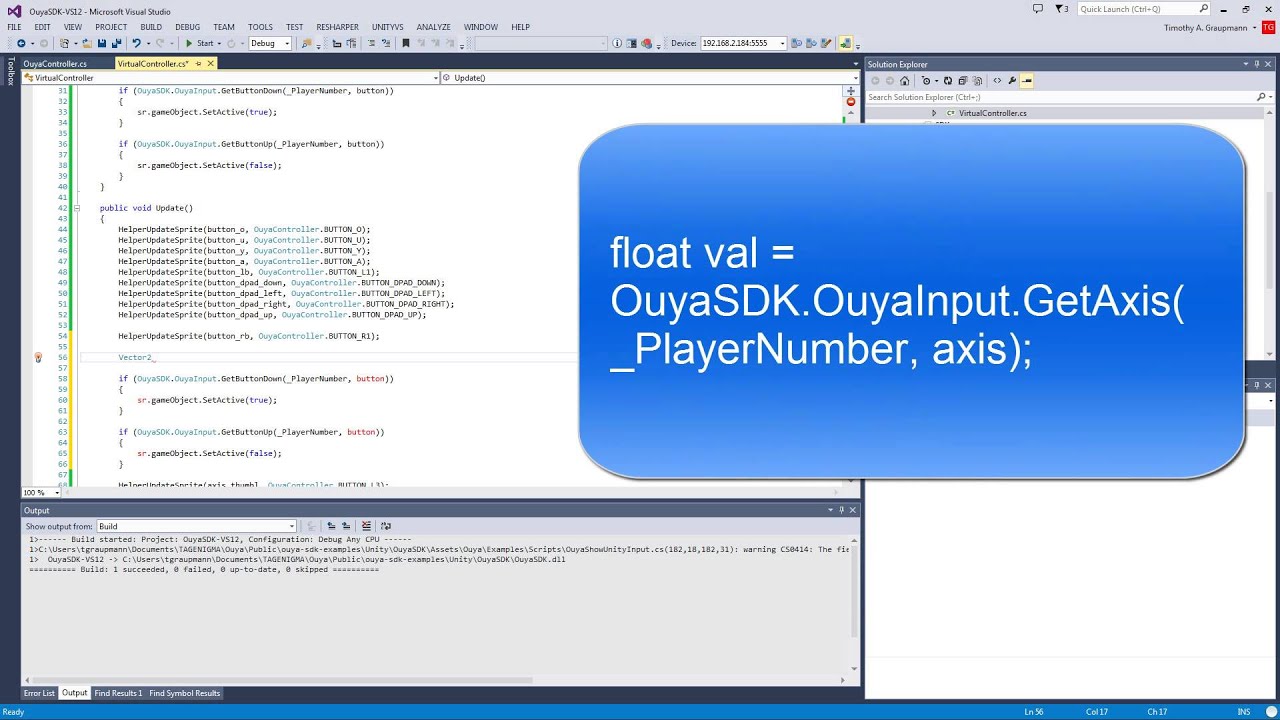
I am looking into how OUYA SDK (software development kit) filters out and maps OUYA controller buttons.
EDIT: 18.08.2025
There is remapping happening in Ouya framework apk also File name is button_remap.json from Ouya framework apk
So far I have used:
docs/unity.md at master · ouya/docs · GitHub
- Unity OuyaSDK-Core.unitypackage - The Core package adds
OUYA-Everywherecontroller andIn-App-Purchasesupport for OUYA, MOJO, and Razer Forge TV consoles - Unity OuyaSDK-Examples.unitypackage - Package includes Virtual Controller, InAppPurchase, Safe Area, and Community Content examples
from there I have pinpoint file in:
Unity_OuyaSDK_Core_ODK_2_1_0_3\Assets\Plugins\Android\libs\ouya-sdk.jar
Viewing Contents of a JAR File
We’ll also see several GUI tools for viewing more detailed contents of a JAR file — for example, the Java source code.
Viewing Contents of a JAR File | Baeldung
I used Luyten exe program on Windows 11 Pro 64bit and extracted class:
Takeaway here is that OUYA buttons are hard coded integers of Android key events.
There is huge issue with using 3rd Party controllers with Ouya console. So far I have
learned Linux HID Descriptor maps on Linux kernel level any and generic gamepad buttons and axes. Then there is Android OS that use keylayout files to translate linux key codes to Android OS key events (Linux key codes are as BTN_ and integer like 100 while Android key events are BUTTON_ and in hexadecimal like 0x13c format.
In below code are java library class hard coded or fixed button numbers. If you use OUYA_SDK in Unity 3D program and build your Android apk file and run it on OUYA console or any Andorid based OS there is high chance that all Linux HID Descriptor and Android OS keylayout file button integers get checked against these hardcoded values to interpret any physical controller (gamepad) physical button presses. Because X-Box 360 inputs differ from these hard coded ones in class Andorid apk’s build with OuyaSDK never register “custom” 3rd Party controllers correctly even when you set everything correct in Andoroid keylayout files and somewhat look what Linux HID Descriptor maps generic gamepads. They are all interconnected but very broken on OUYA console.
package tv.ouya.console.api;

import android.net.*;
import tv.ouya.console.internal.hardware.controllerdata.*;
import android.util.*;
import tv.ouya.console.internal.hardware.*;
import android.graphics.drawable.*;
import android.content.res.*;
import tv.ouya.console.internal.a.*;
import java.io.*;
import android.view.*;
import android.content.*;
import android.graphics.*;
import android.os.*;

public class OuyaController
{
    public static final int BUTTON_O = 96;
    public static final int BUTTON_U = 99;
    public static final int BUTTON_Y = 100;
    public static final int BUTTON_A = 97;
    public static final int BUTTON_L1 = 102;
    @Deprecated
    public static final int BUTTON_L2 = 104;
    public static final int BUTTON_R1 = 103;
    @Deprecated
    public static final int BUTTON_R2 = 105;
    public static final int BUTTON_MENU = 82;
    public static final int BUTTON_HOME = 3;
    public static final int AXIS_LS_X = 0;
    public static final int AXIS_LS_Y = 1;
    public static final int AXIS_RS_X = 11;
    public static final int AXIS_RS_Y = 14;
    public static final int AXIS_L2 = 17;
    public static final int AXIS_R2 = 18;
    public static final int BUTTON_DPAD = 23;
    public static final int BUTTON_DPAD_UP = 19;
    public static final int BUTTON_DPAD_RIGHT = 22;
    public static final int BUTTON_DPAD_DOWN = 20;
    public static final int BUTTON_DPAD_LEFT = 21;
    public static final int BUTTON_R3 = 107;
    public static final int BUTTON_L3 = 106;
    private static int[] b;
    public static final int MAX_CONTROLLERS = 4;
    public static final float STICK_DEADZONE = 0.25f;
    private static final Uri c;
    private static Context d;
    private static ControllerServiceContentHelper e;
    private static Bundle f;
    private static SparseArray<ButtonData> g;
    static final OuyaController[] a;
    private int h;
    private InputDevice i;
    private String j;
    private SparseArray<Float> k;
    private SparseBooleanArray l;
    private SparseIntArray m;

    public static boolean isInitialized() {
        return OuyaController.d != null;
    }

    public static void init(final Context context) {
        if (OuyaController.d != null) {
            return;
        }
        OuyaController.d = context.getApplicationContext();
        OuyaController.e = new ControllerServiceContentHelper(OuyaController.d);
        a();
        final a a = new a();
        final IntentFilter intentFilter = new IntentFilter();
        intentFilter.addAction("tv.ouya.controller.added");
        intentFilter.addAction("tv.ouya.controller.removed");
        OuyaController.d.registerReceiver((BroadcastReceiver)a, intentFilter);
    }

    static void a() {
        if (OuyaController.d != null) {
            for (int i = 0; i < 4; ++i) {
                final int b = b(i);
                if (b != -1) {
                    a(b);
                }
            }
        }
    }

    public static ButtonData getButtonData(final int ouyaButton) {
        if (!OuyaFacade.getInstance().isInitialized()) {
            Log.w("OuyaController", "OuyaFacade has not been initialized yet.  getButtonData() is not guaranteed to succeed.");
        }
        if (OuyaController.g != null) {
            final ButtonData buttonData = (ButtonData)OuyaController.g.get(ouyaButton);
            if (buttonData != null) {
                return buttonData;
            }
        }
        if (OuyaController.f == null) {
            OuyaController.f = a(OuyaController.d);
            if (OuyaController.f == null) {
                Log.e("OuyaController", "No data returned for ButtonData");
                return null;
            }
        }
        final String value = String.valueOf(ouyaButton);
        final ButtonData buttonData2 = new ButtonData(a(OuyaController.f, value), OuyaController.f.getString(value + "_name"));
        if (OuyaController.g == null) {
            OuyaController.g = (SparseArray<ButtonData>)new SparseArray();
        }
        OuyaController.g.put(ouyaButton, (Object)buttonData2);
        return buttonData2;
    }

    private static Bundle a(final Context context) {
        final ContentResolver contentResolver = context.getContentResolver();
        if (OuyaFacade.isOuyaFrameworkInstalled(context)) {
            try {
                return contentResolver.call(OuyaController.c, "get_button_images", (String)null, (Bundle)null);
            }
            catch (IllegalArgumentException ex) {
                Log.e("OuyaController", "Error querying button remapping");
                return null;
            }
        }
        return ControllerInfo.getButtonImagesForDevice();
    }

    private static Drawable a(final Bundle bundle, final String s) {
        Drawable drawable = null;
        try {
            final Object value = bundle.get(s);
            if (value instanceof AssetFileDescriptor) {
                drawable = Drawable.createFromStream((InputStream)((AssetFileDescriptor)value).createInputStream(), s);
            }
            else if (value instanceof Integer) {
                final InputStream b = tv.ouya.console.internal.a.a.b((int)value);
                try {
                    drawable = Drawable.createFromStream(b, s);
                }
                finally {
                    b.close();
                }
            }
        }
        catch (IOException ex) {
            Log.e("OuyaController", "IOException: " + ex.getMessage());
        }
        return drawable;
    }

    public static OuyaController getControllerByDeviceId(final int deviceId) {
        for (final OuyaController ouyaController : OuyaController.a) {
            if (ouyaController != null && ouyaController.getDeviceId() == deviceId) {
                return ouyaController;
            }
        }
        return null;
    }

    public static int getPlayerNumByDeviceId(final int deviceId) {
        final OuyaController a = a(deviceId);
        if (a == null) {
            return -1;
        }
        return a.getPlayerNum();
    }

    public static OuyaController getControllerByPlayer(final int playerNum) {
        if (playerNum >= 0 && playerNum < 4) {
            return OuyaController.a[playerNum];
        }
        return null;
    }

    public static boolean onGenericMotionEvent(final MotionEvent event) {
        if ((event.getSource() & 0x10) == 0x0) {
            return false;
        }
        if (event.getAction() != 2) {
            return false;
        }
        final OuyaController a = a(event.getDeviceId());
        if (a == null) {
            return false;
        }
        for (final int n : OuyaController.b) {
            final Float n2 = (Float)a.k.get(n);
            final float axisValue = event.getAxisValue(n);
            if (n2 == null || n2 != axisValue) {
                a.k.put(n, (Object)axisValue);
            }
        }
        return true;
    }

    public static boolean onKeyDown(final int keyCode, final KeyEvent event) {
        return a(keyCode, event);
    }

    public static boolean onKeyUp(final int keyCode, final KeyEvent event) {
        return a(keyCode, event);
    }

    private static boolean a(final int n, final KeyEvent keyEvent) {
        final OuyaController a = a(keyEvent.getDeviceId());
        if (a == null) {
            return false;
        }
        boolean b = false;
        switch (keyEvent.getAction()) {
            case 0:
            case 2: {
                b = true;
                break;
            }
            case 1: {
                b = false;
                break;
            }
        }
        final int keyCode = keyEvent.getKeyCode();
        if (a.l.indexOfKey(keyCode) < 0 || a.l.get(keyCode) != b) {
            a.m.put(keyCode, (b ? 1 : 2) | a.m.get(keyCode, 0));
        }
        a.l.put(keyCode, b);
        return true;
    }

    public static void startOfFrame() {
        for (final OuyaController ouyaController : OuyaController.a) {
            if (ouyaController != null) {
                ouyaController.b();
            }
        }
    }

    private void b() {
        if (this.m.size() > 0) {
            this.m.clear();
        }
    }

    public static void showCursor(final boolean showCursor) {
        OuyaController.d.sendBroadcast(new Intent(showCursor ? "tv.ouya.controller.action.SHOW_CURSOR" : "tv.ouya.controller.action.HIDE_CURSOR"));
    }

    public static void setCursorBitmap(final Bitmap bitmap, final float hotSpotX, final float hotSpotY) {
        final Intent intent = new Intent("tv.ouya.controller.action.SET_CURSOR_BITMAP");
        if (bitmap != null) {
            intent.putExtra("CURSOR_BITMAP", (Parcelable)bitmap);
            intent.putExtra("HOTSPOT_X", hotSpotX);
            intent.putExtra("HOTSPOT_Y", hotSpotY);
        }
        OuyaController.d.sendBroadcast(intent);
    }

    public boolean buttonChangedThisFrame(final int ouyaButton) {
        return this.m.indexOfKey(ouyaButton) >= 0;
    }

    public boolean buttonPressedThisFrame(final int ouyaButton) {
        return this.buttonChangedThisFrame(ouyaButton) && (this.m.get(ouyaButton) & 0x1) != 0x0;
    }

    public boolean buttonReleasedThisFrame(final int ouyaButton) {
        return this.buttonChangedThisFrame(ouyaButton) && (this.m.get(ouyaButton) & 0x2) != 0x0;
    }

    public InputDevice getDevice() {
        return this.i;
    }

    public String getDeviceName() {
        return this.j;
    }

    public int getDeviceId() {
        return this.h;
    }

    public float getAxisValue(final int ouyaAxis) {
        if (this.k.indexOfKey(ouyaAxis) >= 0) {
            return (float)this.k.get(ouyaAxis);
        }
        return 0.0f;
    }

    public boolean getButton(final int ouyaButton) {
        return this.l.indexOfKey(ouyaButton) >= 0 && this.l.get(ouyaButton);
    }

    public int getPlayerNum() {
        for (int i = 0; i < 4; ++i) {
            if (OuyaController.a[i] == this) {
                return i;
            }
        }
        return -1;
    }

    private static OuyaController a(final int n) {
        final OuyaController controllerByDeviceId = getControllerByDeviceId(n);
        if (controllerByDeviceId != null) {
            return controllerByDeviceId;
        }
        final int c = c(n);
        if (c < 0 || c >= 4) {
            return null;
        }
        if (OuyaController.a[c] != null) {
            Log.e("OuyaController", "Controller for player " + c + " already found, but doesn't match device id " + "(expected " + n + " got " + OuyaController.a[c].getDeviceId() + ")");
            return OuyaController.a[c];
        }
        if (n < 0) {
            Log.e("OuyaController", "Adding device with invalid id!  Player " + c + " device id " + n);
        }
        return OuyaController.a[c] = new OuyaController(n);
    }

    private static int b(final int playerId) {
        return OuyaController.e.getDeviceIdForPlayer(playerId);
    }

    private static int c(final int inputDeviceId) {
        if (OuyaController.d == null) {
            return -1;
        }
        return OuyaController.e.getPlayerIdByInputDevice(inputDeviceId);
    }

    private static String d(final int deviceId) {
        if (OuyaController.d == null) {
            return null;
        }
        String bluetoothName = null;
        final ControllerServiceContentHelper.BluetoothInfoByAddress bluetoothInfoByInputDevice = OuyaController.e.getBluetoothInfoByInputDevice(deviceId);
        if (bluetoothInfoByInputDevice != null) {
            bluetoothName = bluetoothInfoByInputDevice.bluetoothName;
        }
        return bluetoothName;
    }

    OuyaController(final int deviceId) {
        this.h = deviceId;
        this.i = InputDevice.getDevice(deviceId);
        this.k = (SparseArray<Float>)new SparseArray();
        this.l = new SparseBooleanArray();
        this.m = new SparseIntArray();
        this.j = d(deviceId);
        if ((this.j == null || this.j.isEmpty()) && this.i != null) {
            this.j = this.i.getName();
        }
    }

    static {
        OuyaController.b = new int[] { 0, 1, 11, 14, 17, 18 };
        c = Uri.parse("content://tv.ouya.controllerdata/");
        OuyaController.f = null;
        OuyaController.g = null;
        a = new OuyaController[4];
    }

    private static class a extends BroadcastReceiver
    {
        public void onReceive(final Context context, final Intent intent) {
            if (intent.getAction().equals("tv.ouya.controller.added")) {
                final int intExtra = intent.getIntExtra("DEVICE_ID", -1);
                final int intExtra2 = intent.getIntExtra("PLAYER_NUM", -1);
                if (intExtra2 < 0 || intExtra2 >= 4) {
                    return;
                }
                if (OuyaController.a[intExtra2] != null) {
                    Log.e("OuyaController", "Controller already exists for player " + intExtra2 + " (new device id " + intExtra + ", prev device id " + OuyaController.a[intExtra2].getDeviceId() + ")");
                }
                if (intExtra < 0) {
                    Log.e("OuyaController", "Adding device with invalid id!  Player " + intExtra2 + " device id " + intExtra);
                }
                OuyaController.a[intExtra2] = new OuyaController(intExtra);
            }
            else if (intent.getAction().equals("tv.ouya.controller.removed")) {
                final int intExtra3 = intent.getIntExtra("DEVICE_ID", -1);
                for (int i = 0; i < 4; ++i) {
                    final OuyaController ouyaController = OuyaController.a[i];
                    if (ouyaController != null && ouyaController.getDeviceId() == intExtra3) {
                        OuyaController.a[i] = null;
                        break;
                    }
                }
            }
        }
    }

    public static class ButtonData implements Cloneable
    {
        public Drawable buttonDrawable;
        public String buttonName;

        ButtonData(final Drawable buttonDrawable, final String buttonName) {
            this.buttonDrawable = buttonDrawable;
            this.buttonName = buttonName;
        }

        public ButtonData clone() {
            return new ButtonData((this.buttonDrawable == null) ? null : this.buttonDrawable.getConstantState().newDrawable(), this.buttonName);
        }
    }
}
Newer version shows how updated version of this Java class is being used. Note hardcoded axis values:
I am interested how exactly deep inside Android OS axis info is got Microsoft Copilot answer:
To retrieve the current value of a gamepad axis in Android, you can use the getAxisValue() method from the MotionEvent class. This method allows you to determine the position of a joystick or other analog input on a game controller.
Here’s an example of how to use it:
Copy code
@Override
public boolean onGenericMotionEvent(MotionEvent event) {
    // Check if the event is from a game controller
    if ((event.getSource() & InputDevice.SOURCE_JOYSTICK) == InputDevice.SOURCE_JOYSTICK &&
        event.getAction() == MotionEvent.ACTION_MOVE) {

        // Get the X and Y axis values for the left joystick
        float xAxis = event.getAxisValue(MotionEvent.AXIS_X);
        float yAxis = event.getAxisValue(MotionEvent.AXIS_Y);

        // Process the axis values (e.g., move a character or camera)
        handleJoystickInput(xAxis, yAxis);
        return true;
    }
    return super.onGenericMotionEvent(event);
}

private void handleJoystickInput(float x, float y) {
    // Example: Log the joystick values
    Log.d("JoystickInput", "X: " + x + ", Y: " + y);
}
Key Points:
- Source Check: Ensure the event source is a joystick (
InputDevice.SOURCE_JOYSTICK). - Axis Constants: Use predefined constants like
MotionEvent.AXIS_X,MotionEvent.AXIS_Y, etc., to specify which axis value to retrieve. - Action Check: Handle only
MotionEvent.ACTION_MOVEto process axis changes.
This approach works for Android API level 12 (Android 3.1) and above. You can also explore other axes like AXIS_Z, AXIS_RZ, or triggers (AXIS_LTRIGGER, AXIS_RTRIGGER) depending on your game controller’s capabilities.
My fonding again, Android OS axis development info (There is mentioned AXIS_Z as a second / right joystick real value):
https://developer.android.com/reference/android/view/MotionEvent#AXIS_Z
On Android OS Axis constant: Z axis of a motion event.
- For a joystick, reports the absolute Z position of the joystick. The value is normalized to a range from -1.0 (high) to 1.0 (low). On game pads with two analog joysticks, this axis is often reinterpreted to report the absolute X position of the second joystick instead.
Android OS axis_RZ (R stands for right side)
Axis constant: RZ Rotation axis of a motion event.
- For a joystick, reports the absolute rotation angle about the RZ axis. The value is normalized to a range from -1.0 (counter-clockwise) to 1.0 (clockwise).On game pads with two analog joysticks, this axis is often reinterpreted to report the absolute Y position of the second joystick instead.
MotionEvent | API reference | Android Developers
https://developer.android.com/reference/android/view/MotionEvent#device-types
On Android OS:
Some common joystick axes are AXIS_X , AXIS_Y ,AXIS_HAT_X , AXIS_HAT_Y , AXIS_Z and AXIS_RZ .
This tutorial creates a virtual controller using OUYA-Everywhere input.
Unity docs -